Import the connection file and activate the connection:
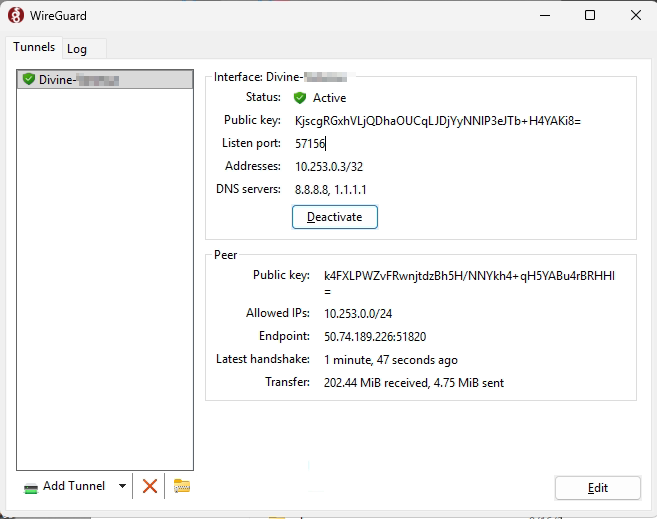
Browse to the server and then enter network credentials, use hduser or the named user:
\\192.168.1.20
Browse to the JM share, and copy the Jewel Mate 20 HD (Remote) shortcut to the desktop.
\\192.168.1.20\jm
Rename C:\Jewel Mate 20 Enterprise Wholesale\bin\JewelMate2020.Wholesale.Remote.exe.config to C:\Jewel Mate 20 Enterprise Wholesale\bin\JewelMate2020.Wholesale.exe.config
Was this article helpful?
That’s Great!
Thank you for your feedback
Sorry! We couldn't be helpful
Thank you for your feedback
Feedback sent
We appreciate your effort and will try to fix the article