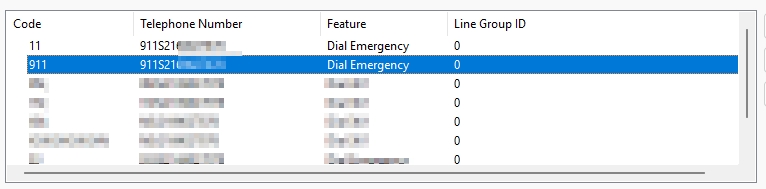
To force an outbound caller ID when dialing 911:
Under ARS -> Main, you will see 11 and 911 codes. The telephone numbers will show 911. You need to append S and the 10 digit DID you want to use for the outbound call. For example, to use 2125551212 as the caller ID, append S2125551212.
Was this article helpful?
That’s Great!
Thank you for your feedback
Sorry! We couldn't be helpful
Thank you for your feedback
Feedback sent
We appreciate your effort and will try to fix the article