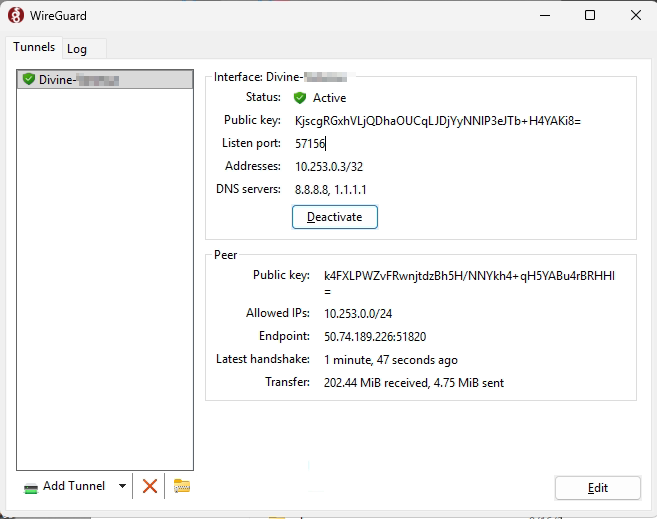
Import the connection file and activate the connection:
Browse to the server and then enter network credentials, same as what you use for remote desktop:
\\10.253.0.1
Browse and run the RemoteSetup shortcut:
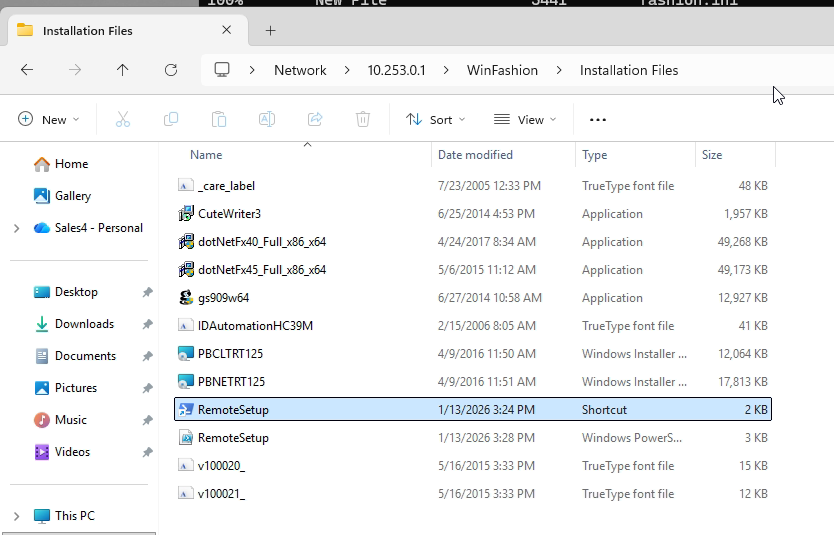
This copies the WinFashion folder (without subfolders) to C:\WinFashion. It also installs the fonts if they are not installed, as well as the PowerBuilder DLLs. It will then make a WinFashion shortcut on the desktop.
Was this article helpful?
That’s Great!
Thank you for your feedback
Sorry! We couldn't be helpful
Thank you for your feedback
Feedback sent
We appreciate your effort and will try to fix the article