Since the April 2026 update, when connecting to RDP, users get this box:
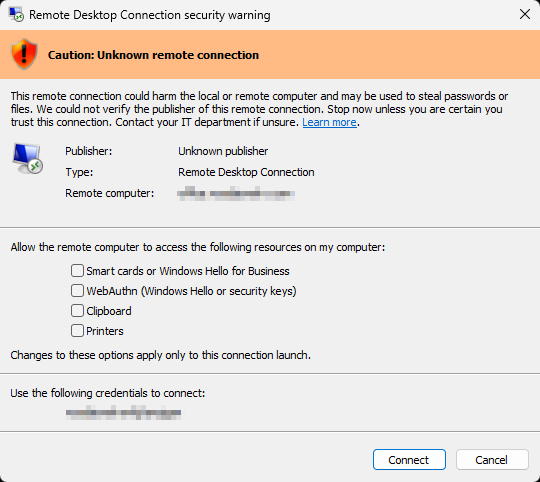
Run this PowerShell to disable this dialog:
New-Item -Path "HKLM:\Software\Policies\Microsoft\Windows NT\Terminal Services\Client" | Out-Null
Set-ItemProperty -Path "HKLM:\Software\Policies\Microsoft\Windows NT\Terminal Services\Client" -Name "RedirectionWarningDialogVersion" -Value 1 -Type DWord
Was this article helpful?
That’s Great!
Thank you for your feedback
Sorry! We couldn't be helpful
Thank you for your feedback
Feedback sent
We appreciate your effort and will try to fix the article