Must be in PowerShell 7.4.0 or above. Not in Windows PowerShell.
Run this to install the module:
Install-Module PnP.PowerShell
Run this to install the Application in your tenant. Make sure to replace the tenant hostname.
Register-PnPEntraIDAppForInteractiveLogin -ApplicationName "PnP.PowerShell" -Tenant [yourtenant].onmicrosoft.com
In the browser pop up, sign in with a Global Admin.
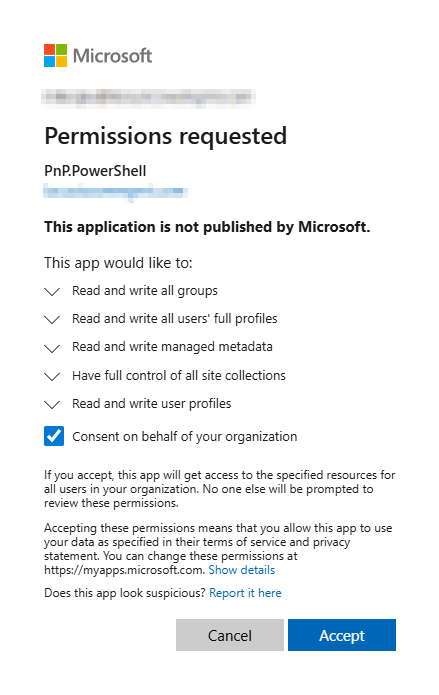
Then you will get a consent pop up. Make sure you consent for the organization:
You will then be given a ClientID. You need to save this and use it when you connect to your tenant each time.
Source: https://pnp.github.io/powershell/articles/installation.html
Was this article helpful?
That’s Great!
Thank you for your feedback
Sorry! We couldn't be helpful
Thank you for your feedback
Feedback sent
We appreciate your effort and will try to fix the article